
Use the shared task list
Use the /tasks menu to keep one task list for everyone on the server. Active participants can manage every task when the host has Pro or higher.
Open the shared list
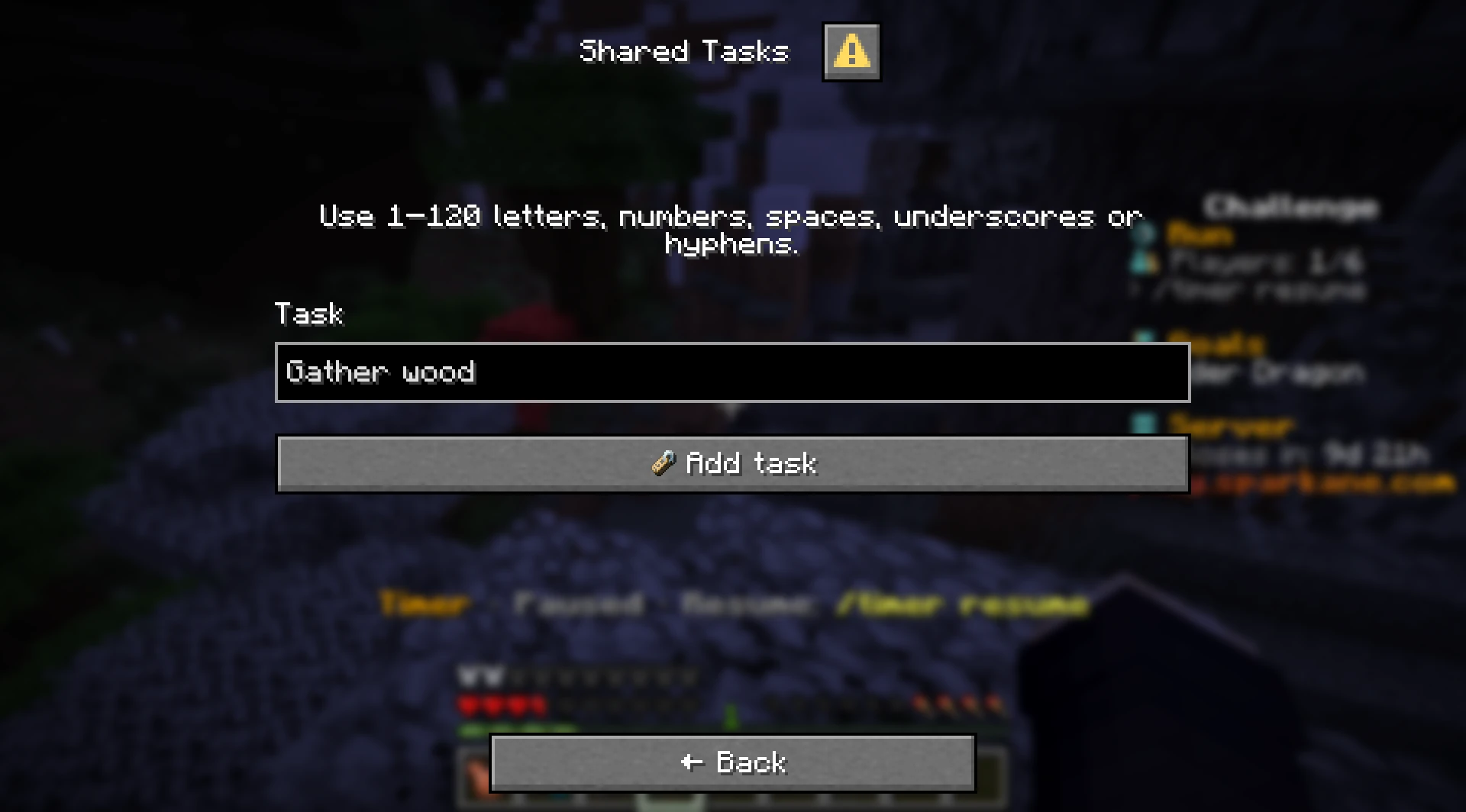
Enter /tasks in Minecraft chat. Sparkane opens a task list on Java and Bedrock. When there are more tasks than one page can show, use the menu controls to move between pages.
Use the menu buttons to open a task, mark it done or open again, rename it, or delete it. Deletion always asks for confirmation.
- 1Enter
/tasks. - 2Choose Add task and enter the task text.
- 3Open a task when you want to mark it done, reopen it, rename it, or delete it.
Who can change tasks?
Every active participant can add, rename, complete, reopen, or delete any task when the host has Pro or higher. Participants do not need a rank of their own.
Spectators can read the list but cannot change it. Battle runs and runs with opposing teams do not offer the list. If the host's rank drops below Pro, existing tasks stay readable but changes are locked.
Task limits and persistence
Task text must contain 1–120 letters, numbers, spaces, underscores, or hyphens. One world can hold up to 100 tasks. Tasks have no assignment or reminder feature.
The list starts empty in a new world. An ordinary server restart keeps the tasks. Both a progress reset (soft reset) and a world reset (hard reset) clear the list.
Use a command shortcut
Use the menu for regular task management. You can also create a task directly with /tasks add Gather wood.
The other chat subcommands are listed in the command reference.