
Use the discoveries journal
Use the journal to look up your discoveries. Its categories depend on your challenges and goals. For supported collection goals, it also shows what you have completed and what is still missing.
Open the journal
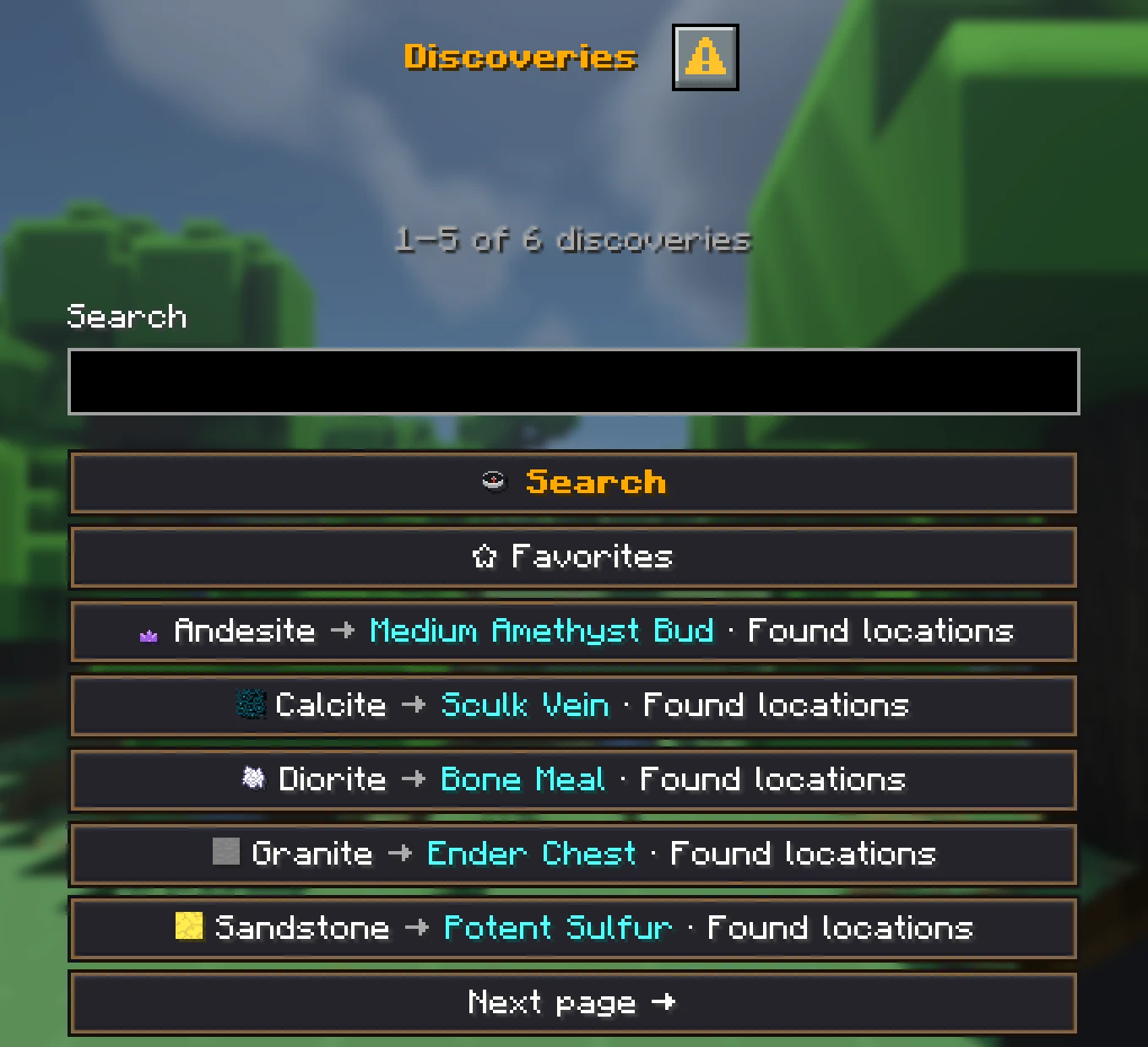
Open /discoveries to see your run’s journal. The journal has categories, search, and details about discoveries. Mark useful entries as favourites. Discoveries are shared, but your favourites are just for you.
- 1Open the journal with
/discoveries. - 2Choose a category or use search.
- 3Open an entry for its recipe, location, or other observed details.
Look up randomizer results
When a block gives an unexpected result, the journal remembers it only after you experienced it. This also applies to other matching randomizer finds. It is a shared notebook, not a solution before you experiment.
For example, you break a sand block for the first time and it gives iron. Afterwards, the journal can show where you saw iron. A block you have not tested stays unknown.
Use discoveries with your team
Tell each other about finds straight away and check the journal before testing the same block for a long time. Favourites work well for important recipes and rare materials. You keep the surprise while keeping track of what you learned.