
Use the shared backpack
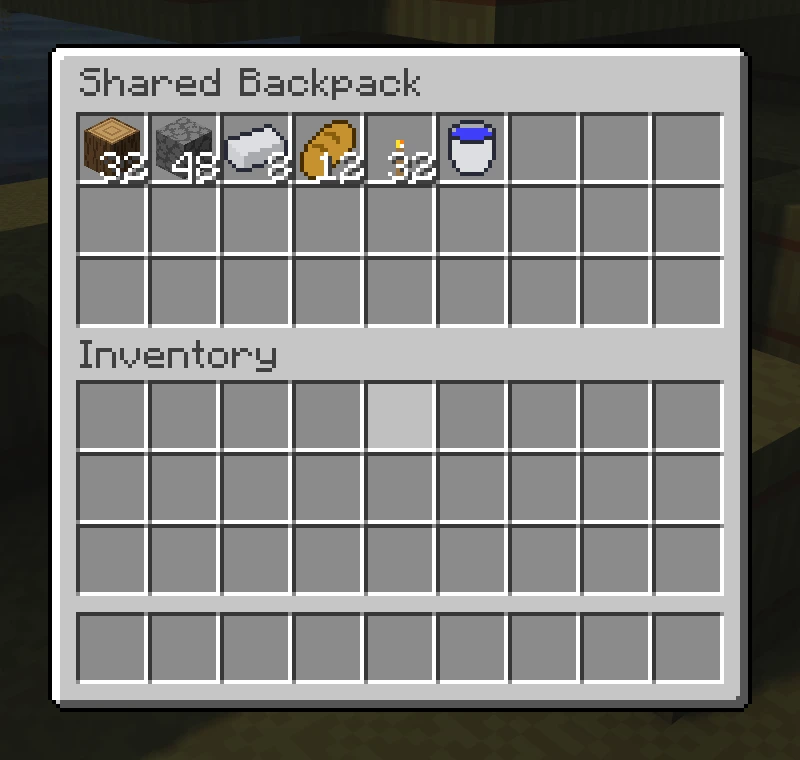
The shared backpack is team storage in Challenge runs where Backpack is enabled. Open it with /backpack or /bp.
Put in and take out items
The backpack has 27 slots. Put in iron, food, or spare tools so others can use them. Left-click a stack to move the whole stack. Take only what your team needs.
If there is no free space, clear a slot first or take out another item. Contents stay through server restarts, death, and progress resets.
During a pause
You can open the backpack during a running or paused run. During a pause, it is read-only. You cannot add, take, or rearrange items. Resume the run before your team distributes anything.
Not every rule works with it
The backpack is a setting for Challenge runs. Some rules exclude it, including Hotbar Only and Permanent Items. If you choose one of these, the configurator cannot offer the backpack at the same time.
Check settings before you create the server. After it starts, you play with the combination you chose.
Share simply
- 1Open
/bp. - 2Put a full food stack in an empty slot.
- 3Tell your group which slot has the food.