Your first run
Your first run on Sparkane
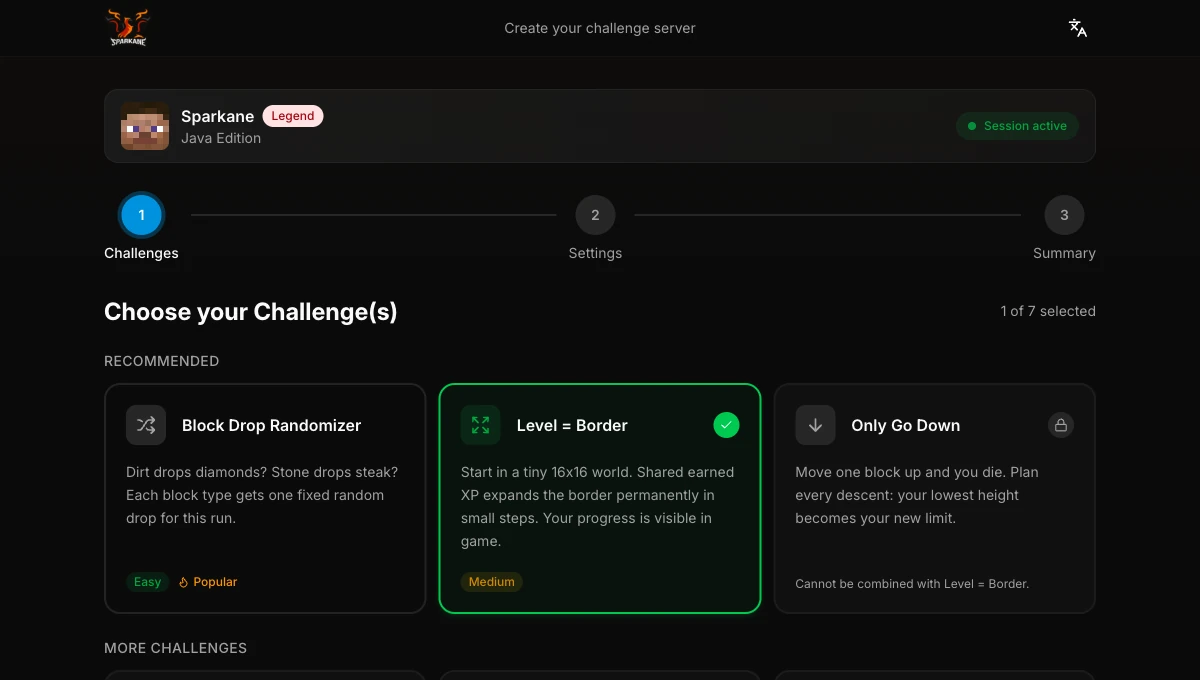
Open Minecraft, connect to play.sparkane.com, and choose a ready-made preset in the lobby. Use the optional web configurator if you want your own combinations or settings.
Free servers are available for 2 days from creation; Legend includes 10 days. Servers stop when nobody plays, but their lifetime continues to count down.
Java 1.21.11 – 26.3 · Bedrock
Join Sparkane
Java Edition
Use Java Edition 1.21.11 – 26.3. This range applies to Java only.
- 1From the main menu, choose Multiplayer, then Add Server.
- 2Give the entry any name and enter
play.sparkane.comas the server address. - 3Save it, select Sparkane, and join the lobby.
Bedrock on PC or mobile
On PC and mobile, you can add Sparkane directly to your server list.
- 1Open Play, then Servers, and choose Add Server when your device offers it.
- 2Give the entry any name, enter
play.sparkane.com, and use port 19132. - 3Save the entry and join the Sparkane lobby.
Bedrock on console
If your console does not show an Add Server option, use BedrockTogether on a supported Android or iOS device to route the connection, then select Sparkane from the console LAN list.
- 1Add
play.sparkane.comand port 19132 in BedrockTogether. - 2Keep the companion app running while you open Minecraft on the console.
- 3Open the Friends or LAN list and join the Sparkane entry.
From lobby to a playable run
- 1Talk to the Personal Server NPC in the lobby. Choose a template or open the browser configurator to pick your own rules.
- 2Choose your challenge and a goal. Check the rules and create the server. If you used the browser, return to Minecraft.
- 3Wait for the message that your server is ready. Open it at the Personal Server NPC and join. Invite friends with
/invite <name>. - 4The host is the person who created the server. Once everyone has joined, start the run with
/timer start. You can now break blocks and play.