
Shape your world
Minecraft Challenge World Settings, Seeds, and Presets
With Legend, choose how your world looks before you start: pick a world type, enable new biomes, or enter your own seed.
Choosing a seed and world type
Playing a familiar world again
A custom seed provides the basis for world generation. To repeat an attempt under comparable conditions, record the seed along with the world type, biome setting and Minecraft version.
The same seed alone does not guarantee an identical world with different generators or versions. Leave the seed field empty if you do not want to specify a particular seed.
Normal, Flat, Large Biomes or Amplified?
Normal is the starting point for a classic survival challenge. Large Biomes expands landscape regions, so finding another biome can require longer journeys.
Amplified creates particularly steep, tall terrain and makes travelling a bigger part of the run. Flat fundamentally changes the available resources and exploration. Before choosing a boss goal, consider whether your preparation plan suits the selected world.
Choosing additional biomes deliberately
The biome option uses world generation from Terralith, Incendium and Nullscape for the Overworld, Nether and End, along with additional structures. It changes more than the appearance of a single biome.
To compare two challenge rules, keep the seed and world settings the same. If exploration is your main goal, try the additional biomes in a separate run. Each setting shows its required rank.
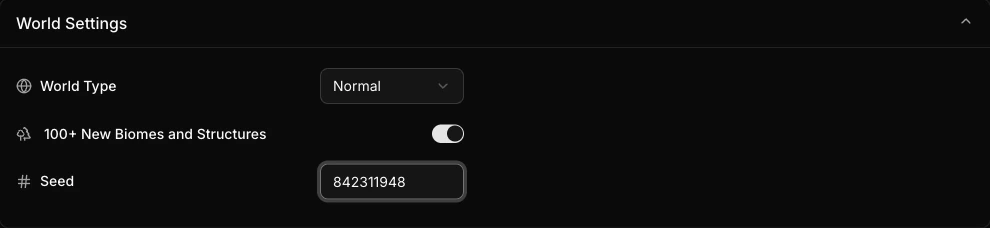
Available Minecraft Challenge World Settings
World Type
Requires at least Legend rankThe type of world generation.
- Default: Normal
- Normal · Flat · Large Biomes · Amplified
100+ New Biomes and Structures
Requires at least Legend rankTerralith, Incendium, Nullscape, Structory, Structory: Towers
- Default: Disabled
Seed
Requires at least Legend rankDetermine the seed for world generation.