
Free Minecraft challenge
Red Light,
Green Light
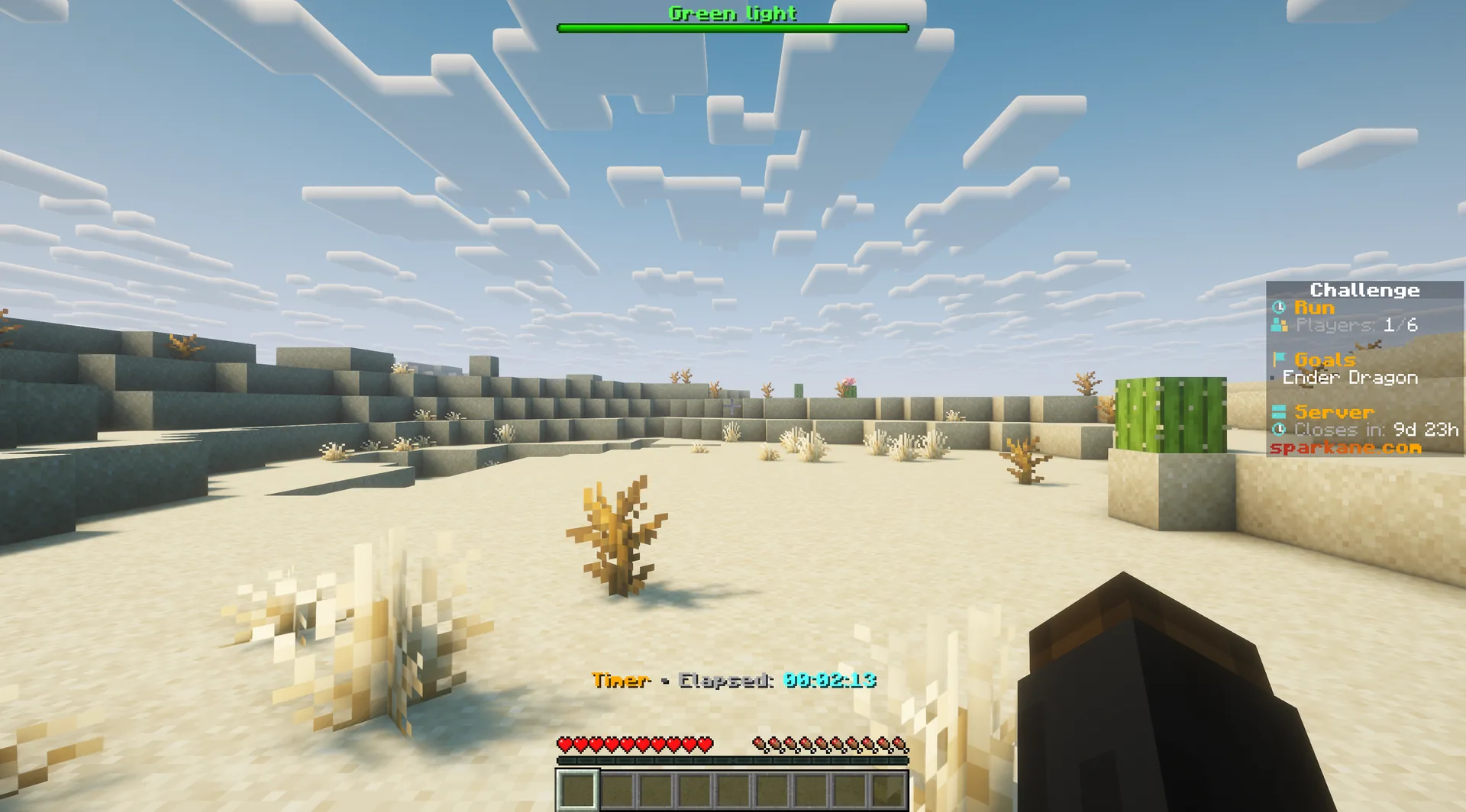
Move on green, slow down on yellow, stop on red. Moving across the ground on red kills you. Can your team still reach the Ender Dragon?
- Java & Bedrock
- Private server
- No extra mods
Watch the signal
Stand still on red
On red, you can still mine, place blocks, look around and attack. But stay in the same spot: do not move forwards, backwards or sideways. Yellow gives you one to three seconds to stop.
Horizontal movement is fatal on red; actions while standing still remain possible.
Example round: you stop in front of a wall during yellow. On red, you break a block within reach, place a block or attack a nearby mob. Stay in the same spot. Only walk on when green returns.
What to expect from your run
- Rule complexity
- Move on green, slow down on yellow and stop on red.
- What helps
- Controlled stopping and attention matter more than fast sprinting.
- What takes time
- On red, you have to wait before walking to the next place.
Keep your nerve
Tips for Red Light, Green Light runs
Stop during yellow. You can keep mining on red as long as you stay still.
- 01Do not wait for red to stop
- Release the movement key during yellow so you are already stopped before red.
- 02Avoid stopping at an edge
- Avoid stopping right beside lava or a drop. You cannot quickly dodge on red.
- 03Prepare before acting
- Select the right hotbar slot and line up your next block or target before you begin moving again.
- 04Communicate the signal
- Call out green, yellow, and red for the whole team, especially during combat or when someone is focused on mining.
Add another twist
Combine Red Light, Green Light with other challenges
The traffic-light rule affects every movement. Pair it with another Sparkane challenge to create a run that demands a different plan.
- Red Light, Green Light + Chunk = Mob
- Defeat the mob to unlock the chunk. If the light turns red during the fight, you must stand still then too.2 simultaneous challenges · Host needs Pro
- Red Light, Green Light + Block Drop Randomizer
- Test block drops even on red, as long as you stay still. Wait for green before moving to the next source.2 simultaneous challenges · Host needs Pro
- Red Light, Green Light + No Crafting
- Search structures and mobs for finished gear while every journey is interrupted by mandatory stops.2 simultaneous challenges · Host needs Pro
The configurator shows which rules you can enable together. Some combinations do not suit every goal.
Red Light, Green Light FAQ
The key answers before your first stop-and-go survival run.
Can I play Red Light, Green Light for free?
play.sparkane.com, choose the preset in the lobby, and create your private server from it. You only need the web configurator if you want custom settings.What is the goal of the challenge?
Your first run
Play Minecraft Red Light, Green Light online
You need Minecraft, but no extra mods or server hosting of your own.
- 1
Join Sparkane
Connect to
play.sparkane.com. We support 1.21.11 – 26.3 on Java. The “How to join on Java & Bedrock” guide covers both editions. - 2
Choose your challenge in the lobby
Choose your challenge at the NPC in the lobby. You can play straight away with its preset rules. To change settings or combine challenges, open the browser settings from there.
- 3
Start your server and invite friends
Create your server and wait for it to be ready. Invite friends with
/invite. Java and Bedrock players can play together. - 4
Start the timer and play
Everyone ready? As the host, use
/timer start. You can then break blocks and the challenge rules become active. Use/timer pauseand/timer resumeto take a break and continue your run.