
Minecraft-ChallengeNew
Only Break Once
One oak log is allowed. The next costs you your life. Which block type will you save for later? Each player has their own list.
- Java & Bedrock
- Private server
- No extra mods
Check before every break
Every block type is a decision
The first break follows normal tool and drop rules. Other active challenges may change the drops. If you try to break a second block of that type, you die immediately. That second block stays in place and gives no drops.
The block type counts, not its orientation or state. An oak log facing another way does not give you another chance. Birch logs are a different block type. The list belongs to you personally.
Death, reconnecting and a server restart do not restore used block types. Only an explicit reset of run progress clears the list. Your selected goal still decides when you win.
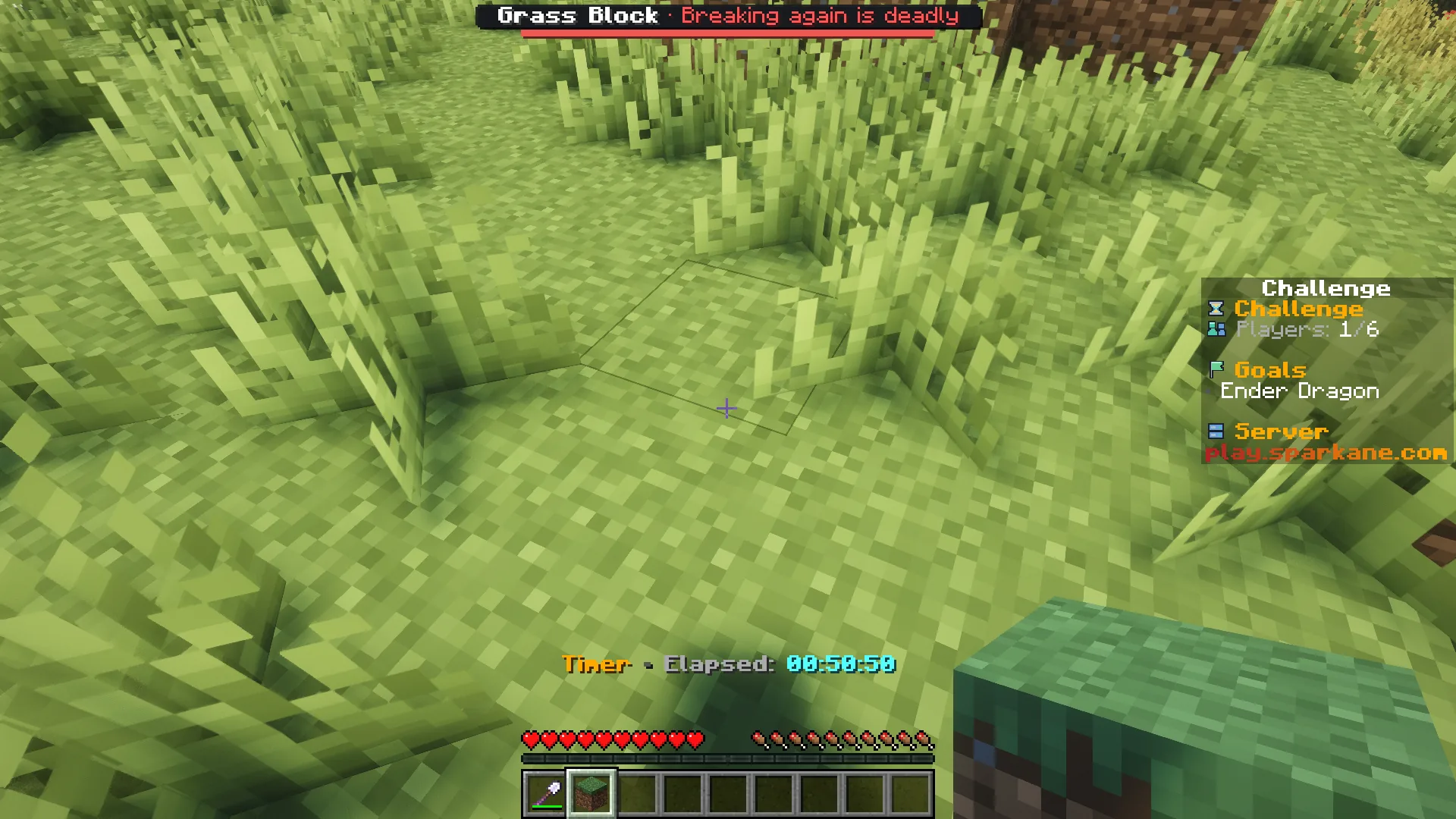
The bar at the top shows the block you are looking at. It hides when you have no target block.
Example round: You break an oak log and craft planks from it. The bar turns red when you look at the next log. You leave it in place and look for a birch tree. Your friend can still break the oak log if they have not broken one themselves.
What to expect from your run
- Understanding the rule
- A simple rule with harsh consequences. Check the bar before you break a block.
- Useful experience
- Know different wood and stone types. Divide tasks among your group.
- What takes time
- Finding new block types and planning routes without breaking more of the same takes patience.
Collect supplies carefully
Tips for Only Break Once
Choose your next block based on what you actually need.
- 01Look for green
- Look at your target block. Green allows the first break. Red warns of a fatal second attempt.
- 02Switch block types
- Find different tree types instead of breaking a whole tree. Placed blocks also count by block type.
- 03Share tasks
- Agree on who breaks each block. Chat tells you who has broken a block type for the first time. Using your oak log does not lock that type for your friends.
- 04Inspect your route first
- A tunnel through many identical stone blocks is dangerous. Use open routes and check before digging an exit.
Other ways to get loot
Combine Only Break Once
These rules change what you do with your limited blocks.
- Only Break Once + Block Drop Randomizer
- Your first block may give a different drop. The fixed mapping still does not let you break the same block type twice.2 simultaneous challenges · Host needs Pro
- Only Break Once + Hotbar Only
- Be careful about what you carry too. You only have the hotbar for your limited supplies.2 simultaneous challenges · Host needs Pro
The configurator shows which rules you can enable together. Some combinations do not suit every goal.
Only Break Once FAQ
What allows your next block break.
Is the list shared by the whole team?
Does dying give me another chance?
What happens on the second attempt?
Do explosions count as my block break too?
Your first run
Start your run with one chance per block type
You need Minecraft, but no extra mods or server hosting of your own.
- 1
Join Sparkane
Connect to
play.sparkane.com. We support 1.21.11 – 26.3 on Java. The “How to join on Java & Bedrock” guide covers both editions. - 2
Choose your challenge in the lobby
Choose your challenge at the NPC in the lobby. You can play straight away with its preset rules. To change settings or combine challenges, open the browser settings from there.
- 3
Start your server and invite friends
Create your server and wait for it to be ready. Invite friends with
/invite. Java and Bedrock players can play together. - 4
Start the timer and play
Everyone ready? As the host, use
/timer start. You can then break blocks and the challenge rules become active. Use/timer pauseand/timer resumeto take a break and continue your run.